Reducing churn through strategic price communication
Problem
WildApricot raised prices 20% during the pandemic, for 40,000+ customers, many of them small nonprofits.
My role
Product Content Manager; led communications across email and in-product with marketing, product, support and development.
The decision
Segment by account type and time each email to the customer's renewal date, instead of one announcement for everyone.
Result
281 early upgrades and 500–600 fewer support tickets than past price changes.
Planning the timeline with the team
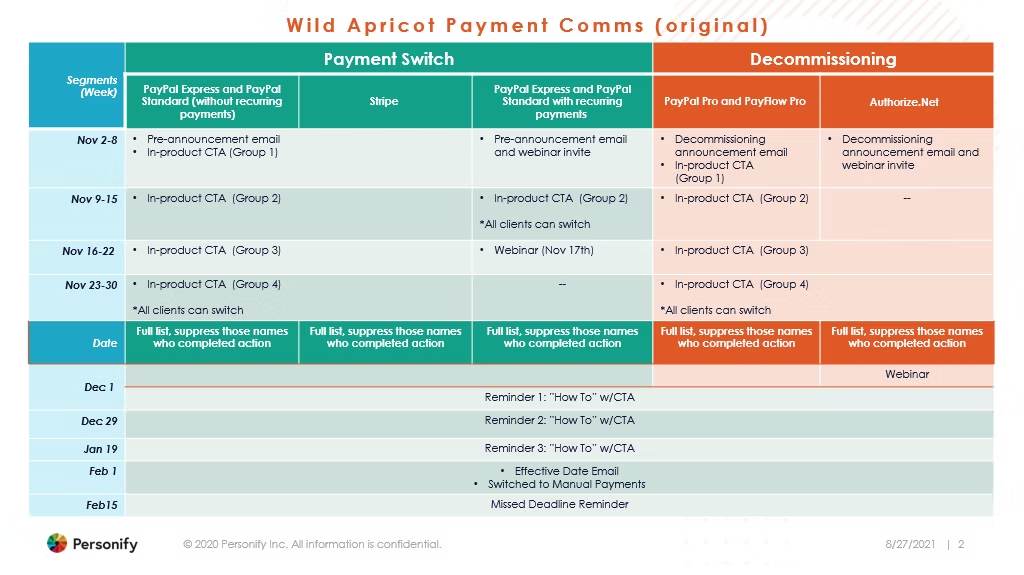
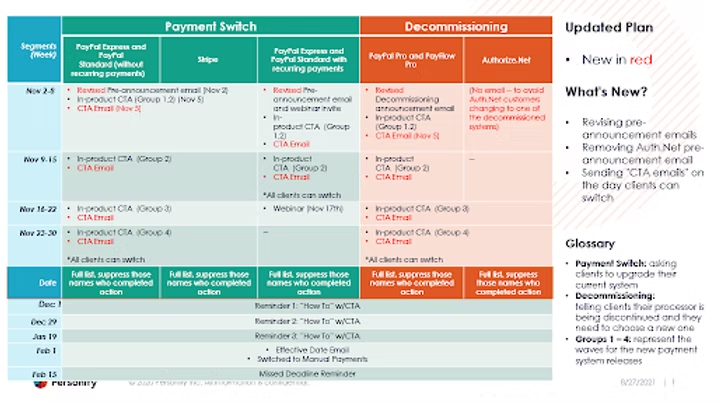
I mapped every payment system being retired, then built the communication timeline with the team and revised it from their feedback.
Different message for each account type
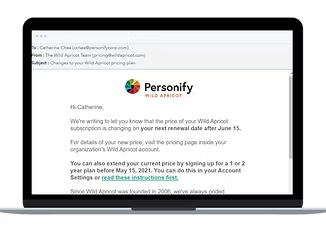
Paid accounts got a clear notice of what was changing. Free accounts got a reason to upgrade while current prices still applied.
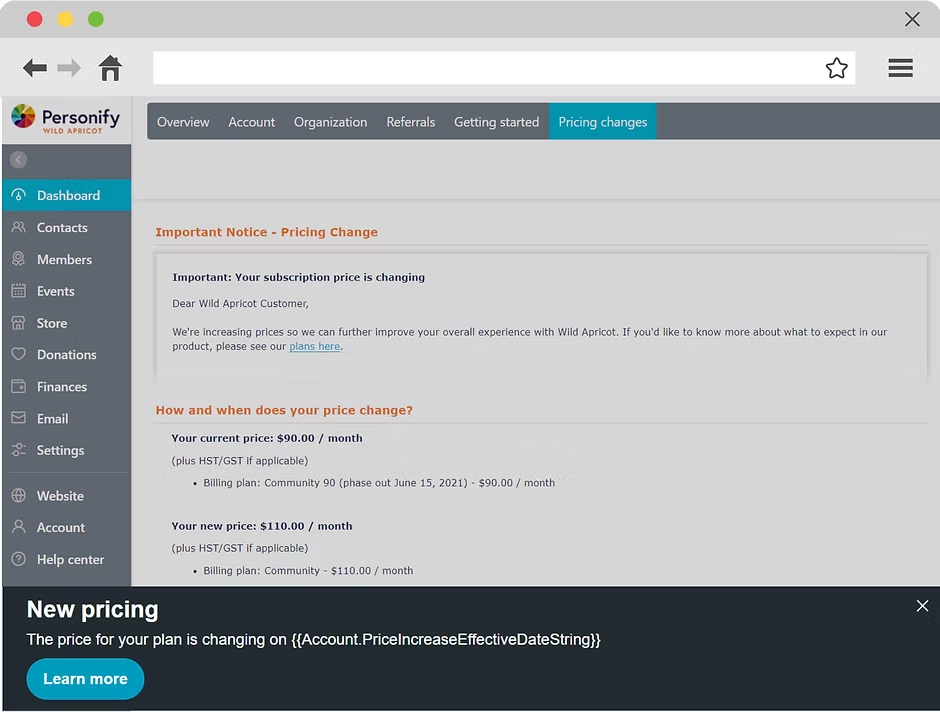
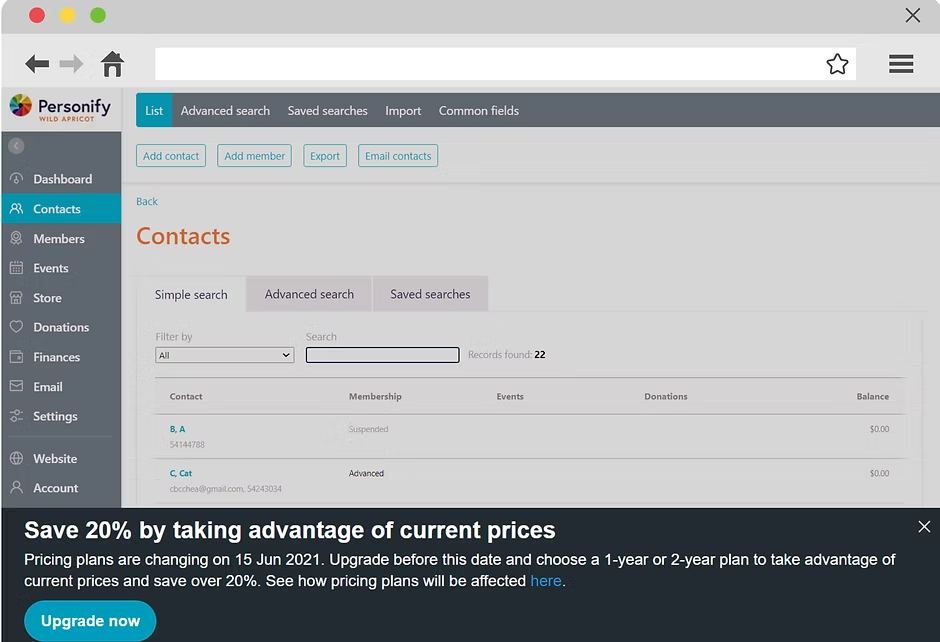
Emails used macros to include each customer's own pricing and renewal date.
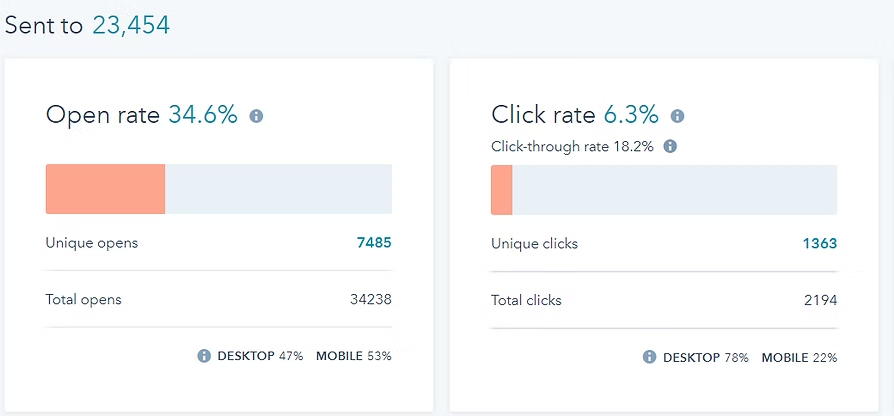
Results
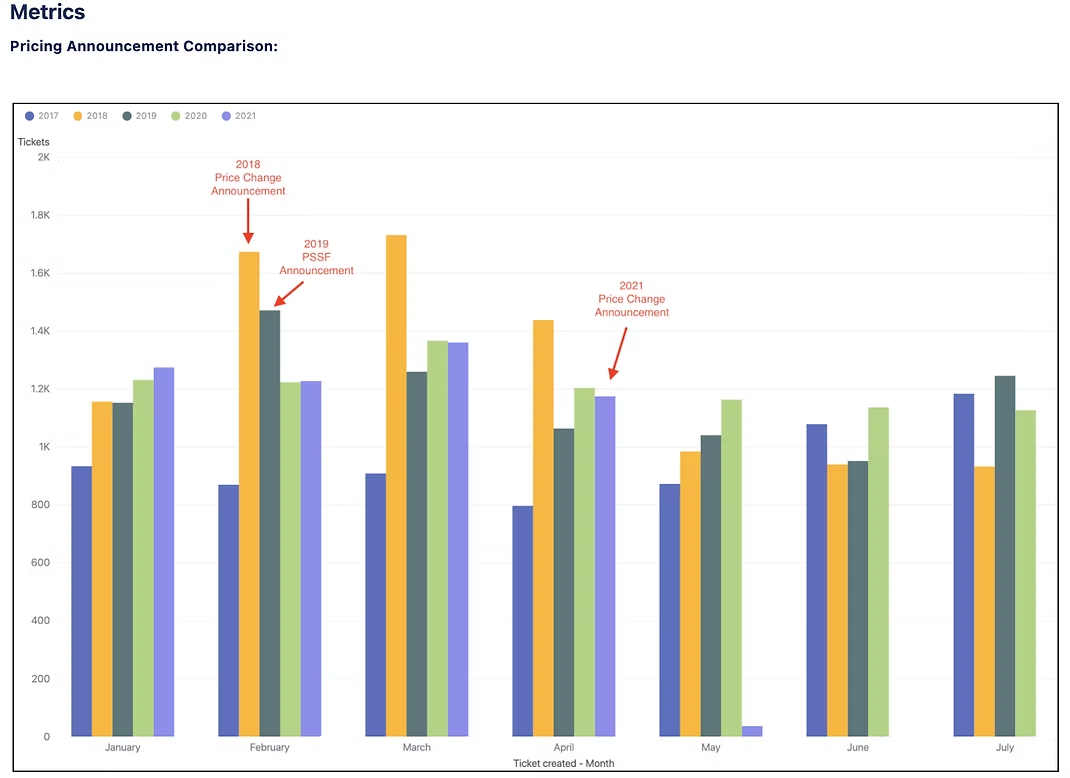
What I'd change
In-product banners got 29k+ views but few clicks. Next time I'd put messages in dashboards rather than banners, use direct headlines ("Your plan is changing"), and use specific CTAs ("View your plan").